
AI Chat・Ask Chatbot Assistant
AI Chat StudioProductivity
4.61.62K Reviews
- Version
- 2.2.7
- Installs
- 10.00M
- Age Rating
- Everyone
Screenshots
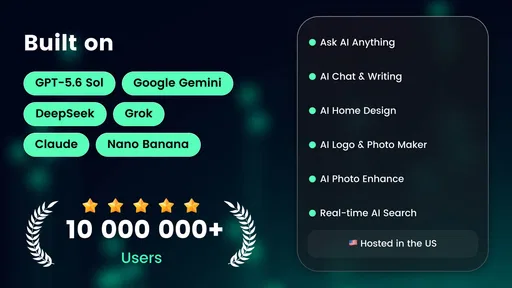
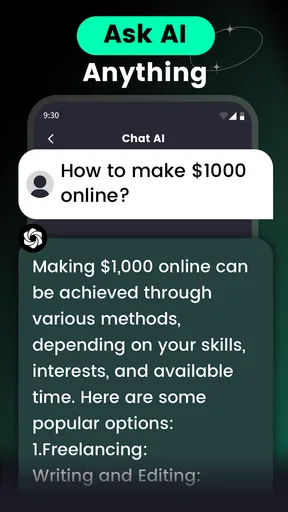
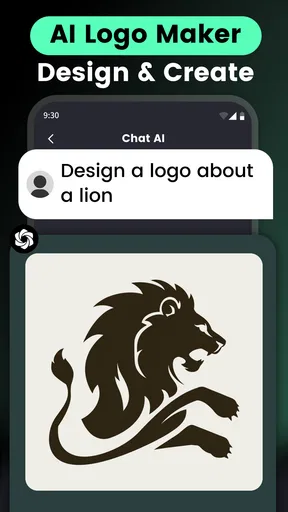

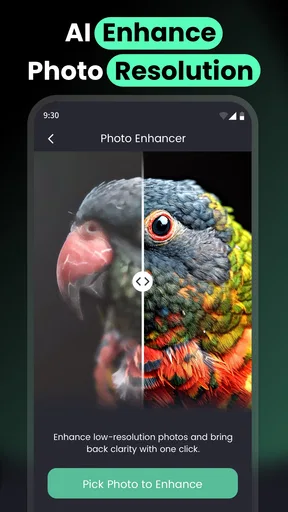
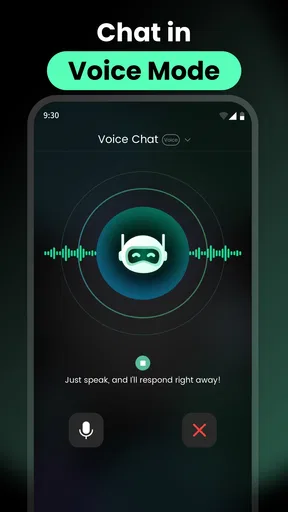
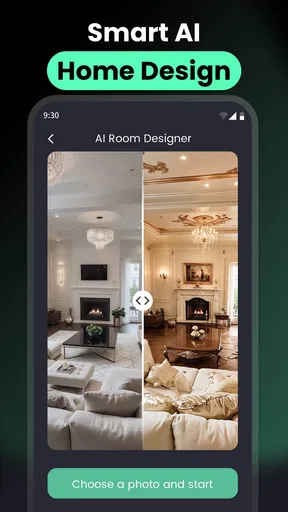
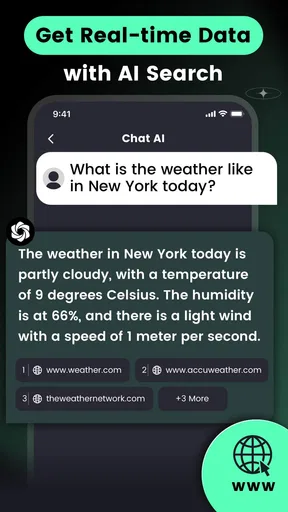
Our Review of AI Chat・Ask Chatbot Assistant
 Analysis by Appyee
I often reach for an app when I need to get unstuck: a dinner idea, a quick explanation, or a starting point for a message I can’t quite phrase. The trouble is that bouncing between search results, notes, and separate creative tools can take longer than the task itself. AI Chat・Ask Chatbot Assistant puts a conversational assistant in one place, and I find that most useful when I want a first draft or a fresh angle without opening several apps.
It is a free productivity app from AI Chat Studio, with optional in-app purchases ranging from $3.99 to $199.99 per item. Its average rating is 4.5 from around 185,000 ratings, and it has more than 10 million installs. Those figures suggest broad interest, but they don’t guarantee every answer will suit your needs; I’d treat the app as a convenient helper, not an authority.
Getting Started and Finding a Useful Rhythm
The app is rated for Everyone, runs on Android 6.0 and later, and its current version is 2.0.1. It was released on April 14, 2023. I’d start with a small, practical request rather than a complicated project: ask for three dinner ideas using ingredients you already have, or request a plain-language explanation of a topic. That quickly shows whether the conversational format suits you.
Once installed, you’ll find a clean and intuitive interface welcoming you. The design is sleek, and you don’t need to be a tech wizard to navigate around. Just open the app, and you’re one tap away from starting a conversation with your new AI buddy.
The Chat Experience
Now let's dive into what really matters—the chat experience. The AI in this app is surprisingly smart. Whether you're asking for the weather, seeking advice on what to cook for dinner, or just looking to kill some time with a casual chat, this assistant is up for the task. It feels almost like talking to a real person, minus the judgment!
I tested it with a variety of questions, from the mundane to the more thoughtful queries. The responses were quick and mostly accurate, which is more than I can say for some human conversations I’ve had. It’s like having a pocket-sized friend who’s always ready to lend an ear.
Getting More Than a Generic Answer
A useful trick with a chat assistant is to treat the first reply as a draft, not the finished result. If a recipe suggestion is too ambitious, I’d follow up with the time I have, what I’m missing, and any dietary needs. For a writing task, I’d ask for a shorter version or a warmer tone rather than starting a new conversation from scratch. That back-and-forth can save time because it narrows the result without making me restate the whole problem.
The same approach helps with the app’s creative possibilities. Its broader uses include home design concepts, logo ideas, tattoo concepts, and image generation. I’d use those outputs to explore directions before making something permanent or spending time in a specialized editor. For a tattoo, for example, a generated concept can help me describe a style or composition to an artist; it should not replace a professional’s judgment about a final design.
Features That Stand Out
One of the standout features is the app's ability to learn from interactions. The more you chat, the better it gets at understanding your preferences and quirks. This personalization aspect is something I found particularly intriguing. It's not just a chatbot; it's your chatbot.
Another nifty feature is the app’s integration capabilities. You can link it with other apps on your phone, allowing it to pull in information that makes your conversations even more relevant. Imagine asking it about your schedule, and it seamlessly provides insights based on your calendar entries. Now that's what I call smart!
A Practical Day With the Assistant
Picture a busy evening: I get home late, have a few ingredients to use, and still need to write a polite note confirming a change of plans. I can ask for a couple of dinner options, choose one, then switch to the message and request a concise, friendly draft. The benefit is not that the app makes every decision for me; it gives me something concrete to react to while I’m short on time.
For better results, I’d include the constraints that actually matter. “Suggest dinner” leaves plenty of room for guesses, while a prompt that names the ingredients, available time, and desired effort gives the assistant a clearer target. For a logo or room concept, adding the intended mood and audience can make the output more useful as a starting point. This small habit is more valuable than expecting the app to infer details I haven’t shared.
I’d also keep tasks in separate conversations when the context changes sharply. A long thread about a meal can muddy a later request for a work email, while a focused exchange makes it easier to refine the answer. That is a simple workflow choice, but it helps keep the assistant’s replies relevant and saves the frustration of correcting assumptions carried over from an unrelated topic.
Where It Fits Among Other Tools
Compared with a standard web search, a chatbot is better suited to turning a broad question into a tailored draft through follow-up prompts. Search is usually the better choice when I need to compare authoritative sources, verify a current fact, or see exactly where a claim came from. I wouldn’t rely on a conversational answer alone for medical, legal, financial, or other high-stakes decisions; I’d use it to frame questions and then check dependable sources.
It also sits between a general writing assistant and dedicated creative software. A conversational prompt can quickly produce directions for a logo, interior refresh, or image idea, but someone who needs precise layers, measurements, export controls, or production-ready artwork will be better served by a specialist tool. I see this app as a low-friction place to explore options, not a replacement for the final craft work.
Limits, Costs, and Who Should Choose It
So, what’s the verdict? The AI Chat・Ask Chatbot Assistant is a fantastic app for anyone who loves the idea of having a virtual assistant that's always ready to chat. It's perfect for those moments when you just need to talk to someone, even if that someone is a digital entity.
However, it's not without its hiccups. There were times when the AI seemed a bit off, providing responses that didn’t quite hit the mark. But hey, nobody's perfect, right? Plus, updates are regular, so these little quirks are often ironed out quickly.
The free starting point makes it easy to try, but the in-app purchase range is wide, so I’d check what an offered purchase includes and whether it matches how often I expect to use it before paying. I wouldn’t assume every capability or amount of use is included at no cost. If I only need occasional answers, I’d begin with those tasks and decide whether the extra options are worth it for my own routine.
This app is a good fit for people who like asking follow-up questions, want a quick creative prompt, or need help getting a blank page moving. It is less suitable for anyone who needs consistently sourced facts, exact professional design controls, or a guaranteed correct answer on the first try. In those cases, a search engine, specialist editor, or qualified professional is the more reliable choice.
Final Thoughts
In conclusion, the AI Chat・Ask Chatbot Assistant is a delightful addition to my app collection. It's fun, it’s functional, and it keeps getting better the more you use it. Whether you’re tech-savvy or just someone looking for a bit of digital companionship, this app is definitely worth a try.
So why not give it a shot? You might just find a new favorite way to engage with your phone. And who knows, you might even feel a bit less alone during those long commutes or lazy Sunday afternoons.
Verdict
Strengths of AI Chat・Ask Chatbot Assistant
- User-friendly interface enhances accessibility.
- Wide range of topics for diverse queries.
- Fast response time for quick answers.
- Integrates well with other apps seamlessly.
- Constant updates improve functionality.
Limitations of AI Chat・Ask Chatbot Assistant
- Occasional inaccuracies in responses.
- Lacks offline functionality for remote use.
- Free version has limited query counts.
- Some advanced features require subscription.
- May struggle with highly specific queries.
Similar Picks in This Category
View All
Google Calendar
Google LLC4.6

Google Drive
Google LLC4.3

Google Assistant
Google LLC3.9

Microsoft OneDrive
Microsoft Corporation4.6

Samsung Calendar
Samsung Electronics Co., Ltd.4.1

Microsoft OneNote: Save Notes
Microsoft Corporation4.6
Frequently Asked Questions
What platforms is AI Chat・Ask Chatbot Assistant available on?
AI Chat・Ask Chatbot Assistant is available on both Android and iOS platforms. Users can download the app from the Google Play Store for Android devices and the Apple App Store for iOS devices. Ensure your device meets the app's system requirements for optimal performance.
What features does AI Chat・Ask Chatbot Assistant offer?
AI Chat・Ask Chatbot Assistant provides a range of features including natural language processing for seamless interaction, personalized responses, task automation, and integration with various apps and services. The assistant can help with scheduling, reminders, and even provide information on a wide array of topics.
Is there a cost associated with using AI Chat・Ask Chatbot Assistant?
AI Chat・Ask Chatbot Assistant offers a free version with basic functionalities. However, there is a premium subscription that unlocks additional features, such as advanced analytics, more personalized interactions, and priority support. Check the app's pricing details for the most current information.
How does AI Chat・Ask Chatbot Assistant ensure user privacy?
The app prioritizes user privacy by implementing robust encryption protocols to protect your data. Additionally, it adheres to strict privacy policies and does not share personal information with third parties without consent. Users can review the privacy policy in the app settings for more details.
What should I do if AI Chat・Ask Chatbot Assistant is not responding correctly?
If you encounter issues with AI Chat・Ask Chatbot Assistant, try restarting the app or your device. Ensure you have a stable internet connection, as the app requires this for optimal performance. If problems persist, consult the app's support section or contact customer service for assistance.
